

Runable Review 2026: Can One AI Agent Replace Multiple Tools?
Artificial intelligence has made it easier than ever to create websites, write documents, design presentations, generate images, and produce videos. But managing separate tools for every task can quickly become expensive and complicated.
What if one platform could bring many of those capabilities into a single workspace?
That’s the idea behind Runable.
Runable is an AI agent platform designed to help individuals and teams research, create, build, and manage digital projects using natural-language instructions.
Instead of switching between multiple specialized applications, users can describe what they want to accomplish and work with an AI agent to generate the result.
But does combining so many capabilities into one subscription make Runable a better choice than using dedicated tools?
In this Runable review, we’ll explore its features, pricing, credit system, advantages, limitations, and ideal use cases.
Explore Runable and Get Started
Affiliate Disclosure: This article contains affiliate links. InsignReview may earn a commission from qualifying purchases at no additional cost to you.
What Is Runable?
Runable is a general-purpose AI agent platform that combines content generation, website development, research, and business productivity tools.
The platform is designed around a simple workflow: describe your goal, let the AI plan or execute tasks, and refine the output through conversation.
According to its official documentation, Runable supports several categories of work:
- Website and application building
- AI image generation
- AI video creation
- Slide presentations and carousels
- Document creation
- Research and reports
- Spreadsheet-related workflows
- Multimodal AI chat
- Connected business workflows
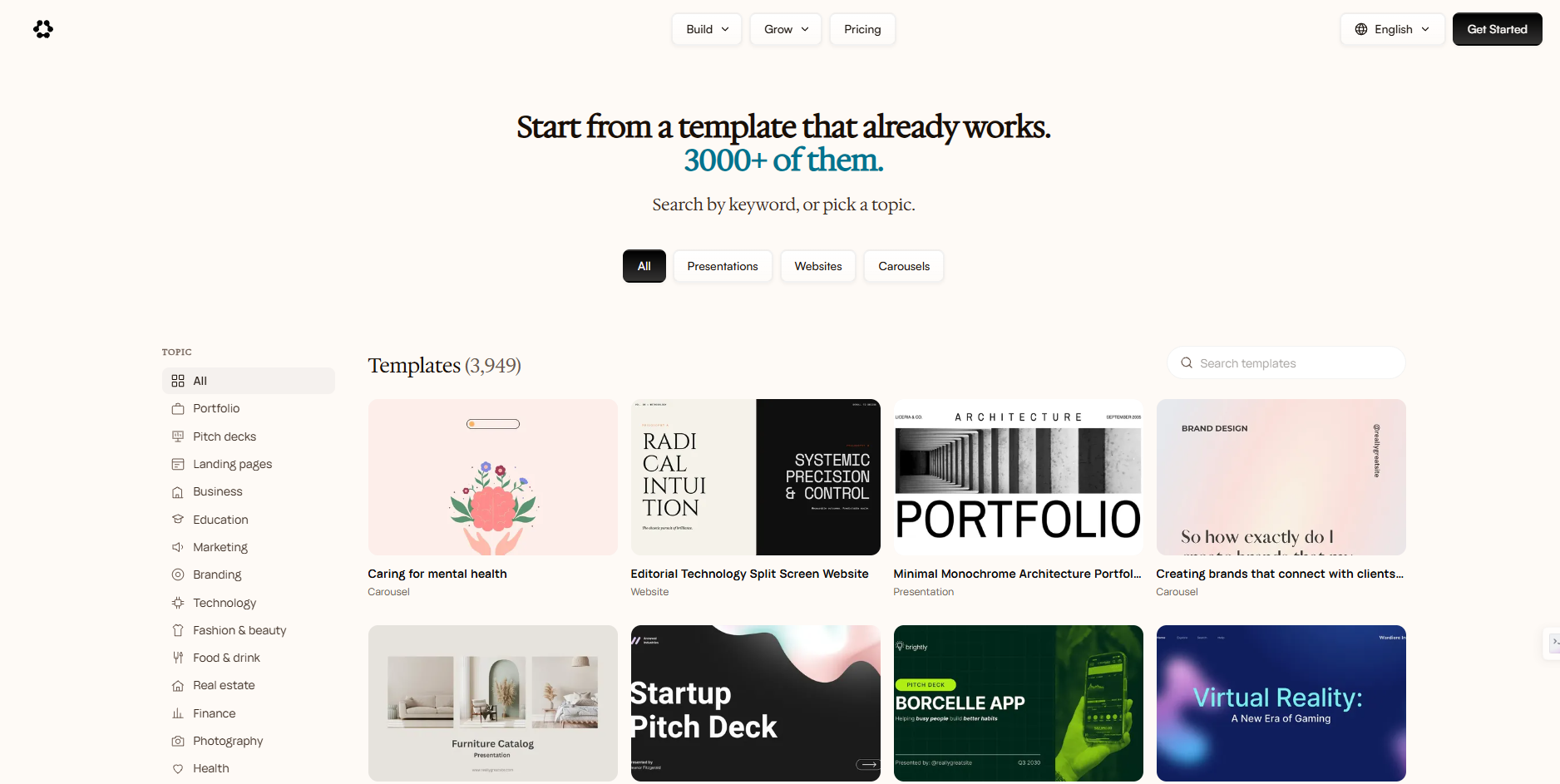
Runable also promotes access to multiple AI model providers and a large plugin ecosystem.
Its goal is not merely to answer questions, but to help users produce practical digital outputs.
Runable’s Main Features
1. AI Agent for Multi-Step Tasks
The central feature of Runable is its general-purpose AI agent.
Users can submit a request such as:
“Create a professional landing page for my online business.”
Or:
“Research a product category and turn the findings into a presentation.”
Runable is designed to plan the work and generate the requested output within its supported environment.
This can reduce the need to manually coordinate separate tools for research, design, and production.
However, complex projects may still require user review, troubleshooting, and additional iterations.
2. AI Website and App Builder
Runable offers tools for creating websites and applications from natural-language instructions.
Its published documentation describes support for:
- Website generation
- Application development
- Public deployment
- Custom domains
- Databases
- Analytics
- Stripe payment integrations
- Version history
This makes Runable relevant for entrepreneurs who want to prototype a business website or build a small application without starting from a blank codebase.
For production websites, users should still verify security, accessibility, payment configuration, performance, and ongoing maintenance.
3. AI Image Generation
Runable provides image-generation capabilities through supported AI models.
Potential use cases include:
- Social media graphics
- Product concept images
- Website visuals
- Marketing illustrations
- Creative campaign assets
Users can describe the visual style, composition, and subject through a prompt.
As with other generative image tools, outputs may require revisions, especially when exact branding or typography is important.
4. AI Video Creation
Runable also supports video generation through available AI models.
This may appeal to marketers, creators, and small businesses producing short promotional clips or visual content.
However, video generation can consume significant credits, depending on the selected model and output settings.
Users should compare the actual cost per completed video rather than assuming that every model or workflow has the same usage allowance.
5. Presentations and Carousels
Runable can generate slides and carousel-style content.
This can be useful for:
- Business presentations
- Marketing campaigns
- Educational materials
- Social media carousels
- Product demonstrations
- Internal reports
The main advantage is convenience: users can start with a written brief rather than manually creating every slide.
Still, important presentations should be reviewed for factual accuracy, layout consistency, and readability.
6. Research and Document Creation
Runable supports research-oriented workflows and document generation.
For example, users may request market summaries, product comparisons, reports, or structured business documents.
The platform promotes the ability to combine information gathering with artifact creation.
For high-stakes or data-heavy work, users should independently verify sources, calculations, and conclusions.
7. Access to Multiple AI Models
Runable offers access to a selection of AI models from different providers.
This may reduce the inconvenience of switching between separate AI interfaces.
However, model availability, usage limits, and the cost in credits can change.
Access to a model through Runable does not necessarily provide the same limits, features, or service terms as subscribing directly to the model provider.
8. Plugins and Connected Workflows
Runable advertises thousands of plugins and connected workflows.
These integrations are intended to help users work across external services.
Before connecting accounts, users should review requested permissions, supported actions, and data-handling policies.
How to Use Runable
Getting started generally follows a simple process.
Step 1: Open Runable
Visit the official website and create an account.
Step 2: Choose a Task
Decide whether you want to build a website, generate creative content, create a document, or perform research.
Step 3: Describe the Desired Result
Write a clear prompt explaining:
- What you want to create
- Who the output is for
- The preferred style or format
- Any technical requirements
- What a successful result should include
Step 4: Review the AI’s Output
Check the result for accuracy, completeness, usability, and consistency with your instructions.
Step 5: Refine and Publish
Request revisions, test the output, and publish or export it through the supported workflow.
Runable Pricing in 2026
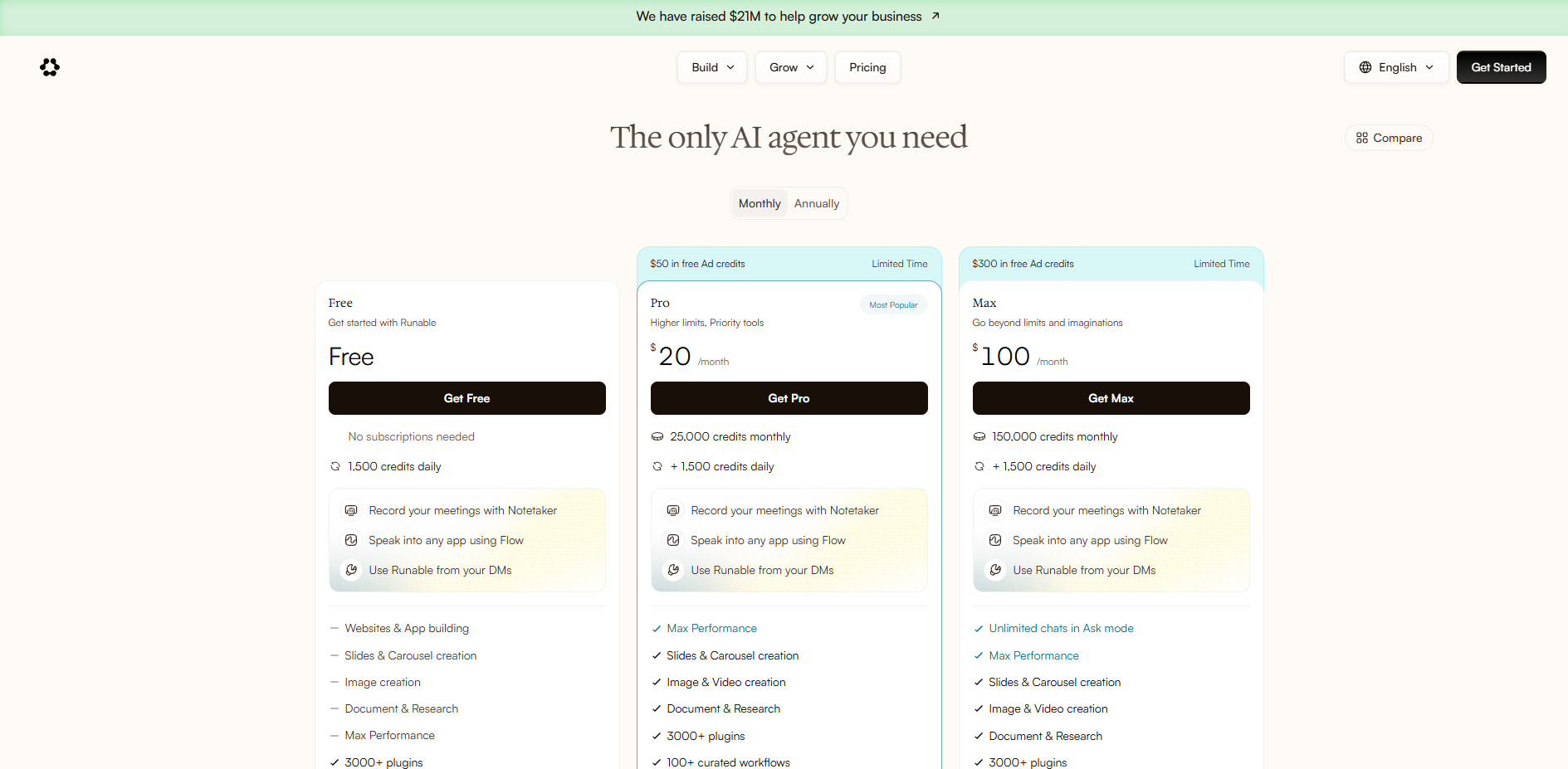
Runable currently advertises three main subscription tiers.
| Plan | Advertised Price | Credit Allowance |
|---|---|---|
| Free | $0/month | 1,500 daily credits, subject to usage limits |
| Pro | $20/month | 25,000 monthly credits plus 1,500 daily credits |
| Max | $100/month | 150,000 monthly credits plus 1,500 daily credits |
The Pro plan also advertises annual billing at $180 per year, equivalent to $15 per month.
Pricing, credits, promotional offers, and available features may change.
Free Plan
The free tier offers a way to explore Runable before subscribing.
It may be suitable for testing the interface, experimenting with prompts, and evaluating lighter tasks.
However, users should not assume that daily credits accumulate indefinitely or that all expensive workflows can be completed within free allowances.
Pro Plan
The Pro plan is positioned for users who need higher limits and more regular access.
It may suit creators, marketers, and entrepreneurs who produce content or build digital projects frequently.
Max Plan
The Max plan targets heavier usage.
It provides a larger monthly credit allocation and additional usage-related benefits.
Before upgrading, consider how many credits your actual workflows consume.
Understanding Runable Credits
A credit-based system introduces an important cost consideration.
Different models and tasks may use different amounts of credits.
For example, generating a document and producing a high-quality AI video may have very different costs.
Runable’s FAQ also describes credit top-ups and subscription-management options.
Runable Pros and Cons
Pros
Multiple tools in one platform
Runable brings together research, documents, websites, presentations, images, and video workflows.
Natural-language interface
Users can describe outcomes instead of learning a separate workflow for every task.
Free starting tier
The free plan allows users to explore the service before paying.
Website and app building
The platform goes beyond simple text generation by supporting deployable digital projects.
Multiple AI models
Users can access different model families from a single environment.
Connected workflows
Plugins and integrations may reduce repetitive manual work.
Cons
Credit consumption can be difficult to predict
Complex tasks, especially image and video generation, may require substantial credits.
Not every specialized tool can be replaced
Dedicated design, development, or video software may still offer more advanced controls.
Generated outputs require review
AI-created websites, reports, and other artifacts can contain errors or incomplete functionality.
Third-party integrations require care
Connecting external accounts introduces permission and data-management considerations.
Subscription value depends on usage
A plan may be economical for frequent users but unnecessary for someone who only needs occasional AI assistance.
Runable vs Other AI Platforms
Runable competes with products that overlap with different parts of its feature set.
| Platform | Main Strength | Best Fit |
|---|---|---|
| Runable | Multi-purpose AI agent and content production | Users seeking an integrated workspace |
| ChatGPT | Conversational AI and supported tools | Research, writing, analysis, and general productivity |
| Lovable | AI-assisted application development | Building web applications |
| Canva | Visual design and content creation | Marketing graphics and brand assets |
| Gamma | AI-assisted presentations | Slide decks and visual documents |
These platforms are not identical products, so comparisons should focus on the specific tasks you need to complete.
Who Should Use Runable?
Entrepreneurs
Runable may appeal to founders who want to prototype websites, create marketing materials, and prepare business documents.
Affiliate Marketers
Affiliate marketers may use it to research topics, create content drafts, design visual assets, and build landing-page prototypes.
Any affiliate promotion should still comply with the relevant merchant and advertising policies.
Content Creators
Creators may benefit from having image, video, document, and presentation tools in one place.
Small Businesses
Small teams may use Runable for recurring marketing and productivity tasks.
Students and Educators
The platform’s research and document features may support learning and presentation workflows, provided outputs are checked for accuracy.
Is Runable Worth It in 2026?
Runable is worth considering if you regularly work across several digital content and productivity categories.
Its appeal comes from combining many workflows inside one AI agent environment.
For a creator who needs presentations, images, documents, and occasional website prototypes, this may be convenient.
For users who rely on highly specialized software or require precise control over complex production pipelines, dedicated tools may remain preferable.
The most practical approach is to start with the free tier, test representative tasks, and calculate how many credits are required to produce usable results.
Frequently Asked Questions
Is Runable free?
Yes. Runable offers a free plan with daily credits and usage restrictions.
Can Runable build websites?
Yes. Runable advertises website and application-building capabilities.
Can Runable create videos?
Yes. Video generation is among its supported creative workflows, although usage depends on the selected models and credit limits.
Does Runable support multiple AI models?
Yes. The platform offers a selection of models from different AI providers.
Does Runable offer an annual subscription?
Yes. Its pricing page advertises annual billing for Pro.
Is Runable suitable for beginners?
Its natural-language workflow may be accessible to beginners, although more complex projects can still require technical review.
Can Runable replace ChatGPT, Canva, and other tools?
It overlaps with several of their use cases, but whether it can replace them depends on your required features, workflow, and quality expectations.
Do Runable credits expire?
Runable’s FAQ states that purchased top-up credits do not expire. Monthly subscription and daily credit allowances follow separate usage rules.
Final Verdict
Runable is an interesting option for people who want to consolidate several AI-powered workflows into one platform.
Its strongest features are the breadth of supported tasks, natural-language interaction, website-building capabilities, and access to multiple AI models.
The biggest consideration is the credit system: a subscription’s value depends on how many useful outputs you can actually produce within your allowance.
For most curious users, starting with the free plan is the sensible first step.
Explore Runable and Start Free
Affiliate Disclosure: InsignReview may earn a commission from qualifying purchases through affiliate links in this article, at no additional cost to you.
Editorial Note: This review is based on published product information rather than independently verified hands-on testing. Prices, models, usage limits, and terms may change.