


Luminar Neo is Skylum’s desktop photo editor, combining conventional editing controls with AI-assisted tools. It can be considered as a standalone editor or within a compatible plug-in workflow. This updated review focuses on current buying checks rather than carrying forward older prices or an unverified score.
We have not performed a new hands-on test. Illustrations retained from the earlier Insign Review edition may show an older interface.
Explore Luminar Neo and check current availability →
What to evaluate
Official materials describe RAW processing, presets, layers, masking and AI-assisted creative adjustments. Generative features are also promoted, but their inclusion and access period depend on the selected license. Confirm the exact tools you need rather than treating every demonstration as a permanent part of every purchase.
Test the real photo workflow
Check support for your camera’s files and the way you organize images. Import, edit, export and backup are separate steps, and an attractive preset does not settle all of them. If using Neo as a plug-in, confirm compatibility with the host application and current operating system.
Inspect edited images at the intended output size. Mask boundaries, fine texture and generated areas can require manual correction. Creative sky or object changes may be appropriate for some work and unsuitable for documentary purposes. Preserve originals and represent substantial alterations honestly.
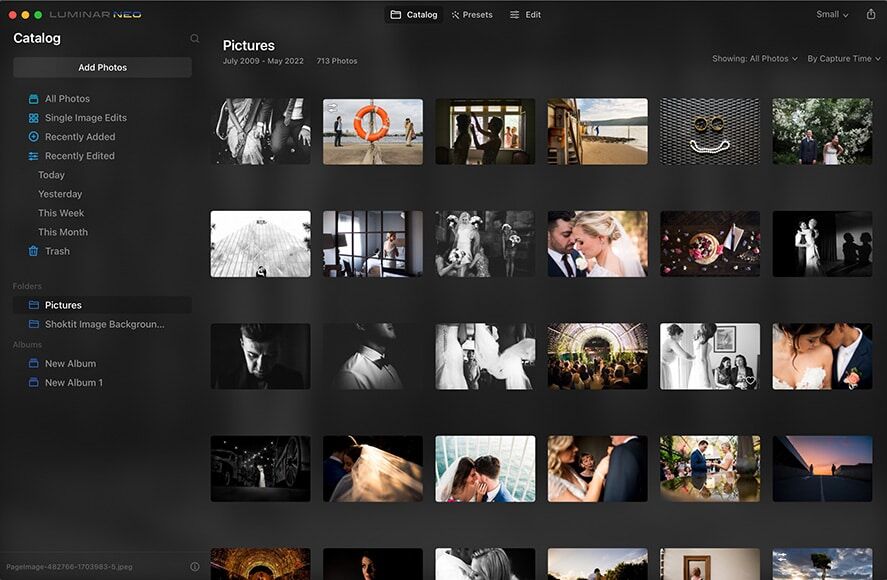
Computer requirements and speed
Read the current official requirements for your operating system, processor, memory, graphics and storage. Meeting a minimum requirement does not guarantee the responsiveness you want with large files or complex adjustments. We have not benchmarked processing speed or memory use in the current version.
Strengths and trade-offs
- Approach: AI assistance and manual controls can support different editing preferences.
- Workflow choice: standalone and compatible plug-in arrangements can be compared.
- Trade-off: generated results and automated masks still need inspection.
- Limit: older screenshots and reviews should not establish present pricing or entitlements.
License and purchase checks
Compare devices, included upgrades, generative-tool access, renewal options and any add-ons. A perpetual license should not be interpreted as unlimited future services or all later upgrades. Read the current refund policy and use any available evaluation arrangement with representative photos before committing.
FAQ
Does every offer include every AI feature indefinitely?
No blanket assumption should be made. Read the selected license and service periods.
Will minimum specifications guarantee fast editing?
No. File size, adjustments and hardware influence the experience.
Verdict
Luminar Neo is worth evaluating when its editing approach fits your photos and computer. Test the complete workflow, inspect automated results and compare the exact license. A current requirements and entitlement check is more useful than an outdated price table.
Explore Luminar Neo and check current availability →
Sources and review approach
This is an editorial review of published product information, not a hands-on performance test. Sources were consulted on 23 October 2026.